Inquiry
Form loading...
Small shops do not need the biggest UV printer. They need one that prints reliably, fits the workbench, and earns back its cost through real orders. That distinction matters. A printer may handle phone cases, acrylic signs, or branded merchandise, yet still be a poor fit if setup takes too long or ink costs erode each sale.
Smithers’ report, The Future of Digital Printing to 2028, forecasts the global digital printing market will reach $230.5 billion by 2028. That figure covers digital printing broadly, not UV printers alone. Still, it signals a growing market where small businesses must choose equipment with care. Peter Drucker, a respected management expert, wrote, “The purpose of a business is to create a customer.” For a UV printer for small business, that means starting with buyers and products—not impressive specifications.
There are trade-offs. A compact machine can save floor space but limit print size. A faster model may cost more than a new shop can justify. And glossy samples do not tell the whole story. This 2026 guide compares ten UV printers for small businesses by print quality, usable features, operating costs, and fit for common jobs. Check the numbers. Then check what customers will actually order.
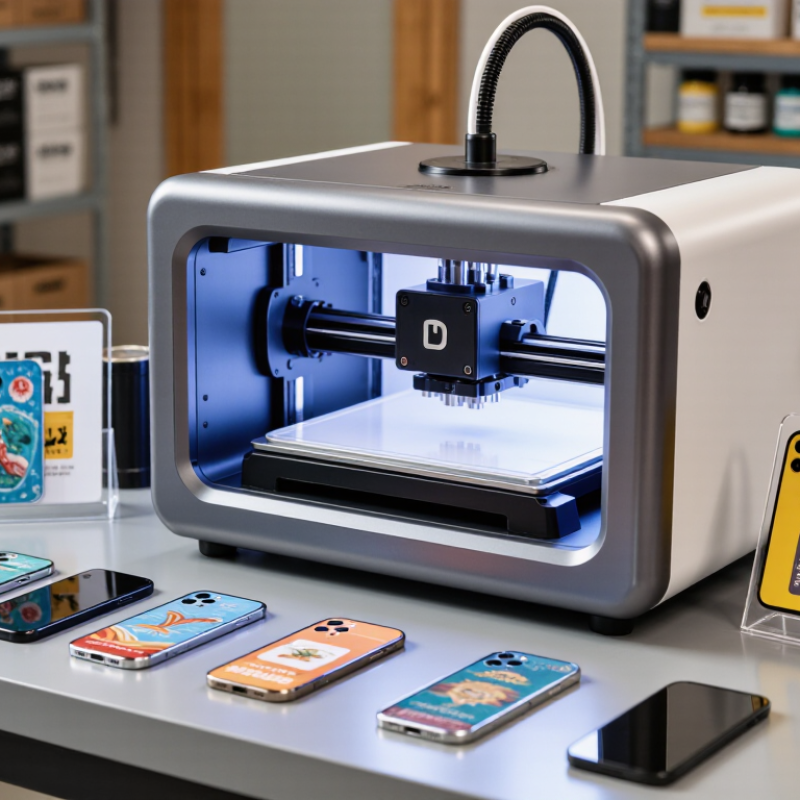
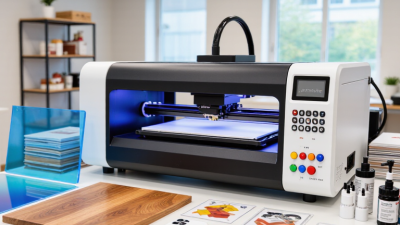
UV printing uses ultraviolet light to cure ink almost immediately as it is deposited. This lets small businesses print directly onto selected surfaces instead of relying on paper labels or outsourced decoration. A café might add its logo to reusable menu boards; a maker could personalize phone cases, wooden signs, or acrylic gifts. Small runs can be practical because setup is often simpler than with traditional processes. The result can look vivid and feel tactile. Still, “prints on many materials” does not mean every surface works equally well.
In day-to-day production, an object’s shape, coating, and cleanliness matter. Dust, fingerprints, and uneven surfaces can weaken adhesion or spoil fine details. Flatbed machines suit rigid items such as panels and keepsakes, while cylindrical attachments can handle some curved objects. Before choosing equipment, test the exact material and design, including white ink and small text. Ask for samples, then inspect them under ordinary shop lighting. A sample can look perfect. Real batches may not. Printheads and UV lamps also need routine care, while ink and ventilation requirements vary by machine. Plan for training, cleaning time, failed prints, and safe handling—not just advertised print speed. For a small business, predictable quality often matters more than the largest printable area.
| No. | UV Printer Type | Typical Format or Work Area | Suitable Products | Small-Business Advantages | Important Consideration |
|---|---|---|---|---|---|
| 1 | Compact A4 Flatbed | A4-size media: 210 × 297 mm (8.3 × 11.7 in); usable bed area varies. | Small signs, tags, cards, phone accessories, and sample products. | Small footprint and a practical entry point for short runs and personalization. | Check printable height, fixture space, and whether objects can be placed securely on the bed. |
| 2 | A3 Flatbed | A3-size media: 297 × 420 mm (11.7 × 16.5 in); usable bed area varies. | Customized panels, small plaques, packaging prototypes, and promotional items. | Offers more layout space than A4 while remaining suited to a modest production area. | A3 describes a paper format, not necessarily the machine’s exact printable area. |
| 3 | A2 Flatbed | A2-size media: 420 × 594 mm (16.5 × 23.4 in); bed and print area vary. | Medium-format signs, decorative panels, and batches of smaller objects. | Supports larger pieces or multiple items in one layout. | Allow for machine clearance, loading space, and the weight of the materials being printed. |
| 4 | Large-Format Flatbed | Often specified by bed dimensions rather than a paper size; bed sizes vary widely. | Rigid boards, display panels, signs, and larger décor pieces. | Prints directly onto many flat, compatible substrates without first applying a transfer film. | Requires more floor space and careful attention to substrate flatness, thickness, and weight. |
| 5 | Flatbed with Rotary Attachment | Flatbed area plus a compatible rotary fixture; supported diameters depend on the fixture. | Cylindrical bottles, tumblers, and other compatible round objects. | Adds cylindrical-item capability without requiring a separate dedicated printer. | Confirm object diameter, taper, length, and fixture compatibility before purchase. |
| 6 | Dedicated Cylindrical UV Printer | Designed for a defined range of round-object diameters and lengths; specifications vary. | Bottles, jars, tubes, and other supported cylindrical products. | Purpose-built handling can suit businesses with regular cylindrical-product orders. | May be less flexible for flat products; verify support for tapered objects and different shapes. |
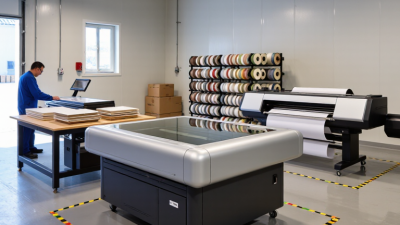
| 7 | Roll-to-Roll UV Printer | Media width is model-specific; designed for flexible roll media. | Banners, flexible graphics, decals, and compatible roll-fed films. | Supports continuous production on flexible materials and longer graphics. | Confirm media compatibility, take-up handling, and whether the intended material can withstand the process. |
| 8 | Hybrid Flatbed and Roll Printer | Combines a rigid-material bed with roll-media capability; dimensions vary by model. | A mix of boards, signs, banners, and flexible graphics. | Provides a broader material workflow when a business handles both rigid and flexible jobs. | A larger investment and footprint may be difficult to justify if one material type dominates orders. |
| 9 | UV DTF Transfer Printer | Prints onto transfer film; printable width is model-specific. | Decorative transfers for compatible curved or irregular surfaces, including some finished items. | Transfers can be applied to objects that are awkward to position on a flatbed. | This is a transfer workflow, not direct printing onto the final object; adhesion depends on the surface and application method. |
| 10 | Conveyor or Belt-Feed UV Printer | Feed path and supported item dimensions depend on the machine configuration. | Repeated small flat items and selected production batches. | Can streamline repeat jobs by moving items through a consistent print path. | Best suited to repeatable product sizes; test item spacing, feed stability, and curing before production. |
Note: These are printer categories, not brand-specific product rankings. A-series measurements are standardized paper sizes; actual printable areas, material compatibility, object height, and production speed vary by machine and setup. UV printing uses ultraviolet light to cure specially formulated ink, but adhesion and durability depend on the ink, substrate, preparation, and operating conditions.