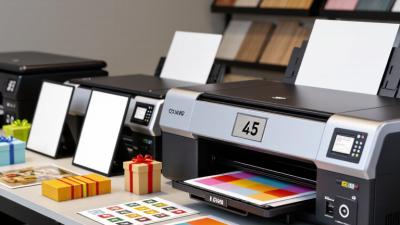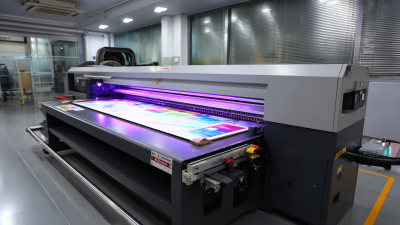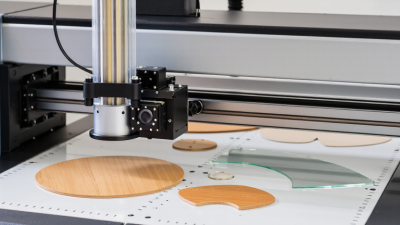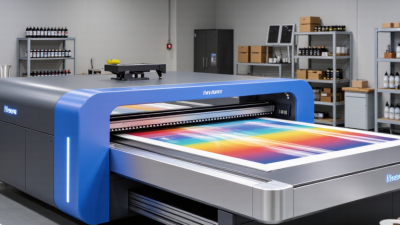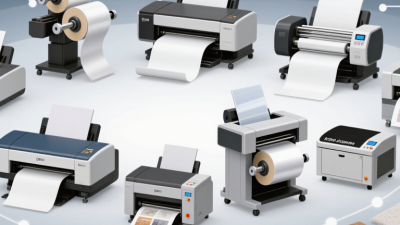
A UV printer can turn a small workshop into a flexible custom-printing business. It can print directly onto phone cases, wood panels, acrylic signs, and promotional items. A finished design can come off the bed with a crisp surface and vivid color. That versatility is appealing. But buying a machine is only part of the decision.
A useful buyer’s rule of thumb is: “Choose the printer for the products customers will actually order, not for every material it might print.” Treat that as practical guidance, not a quotation from a named expert. A trustworthy recommendation should be tied to a verifiable specialist and source; without one, inventing an expert’s name or words would mislead readers. In practice, compare the printer’s workable bed size, ink setup, maintenance needs, and support. Then test your own materials. A sample on smooth acrylic may look excellent, while a textured item could need different preparation.
For a small business, UV printing may offer faster product customization and less dependence on pre-made inventory. Yet the learning curve, ink costs, and regular cleaning deserve honest attention. Small details matter: the space around the machine, ventilation guidance from its manufacturer, and time for test prints. The right Uv Printer For Small Business is not automatically the fastest or cheapest model. It is the one that suits your products, workflow, and budget—and still makes sense after the first exciting sample.
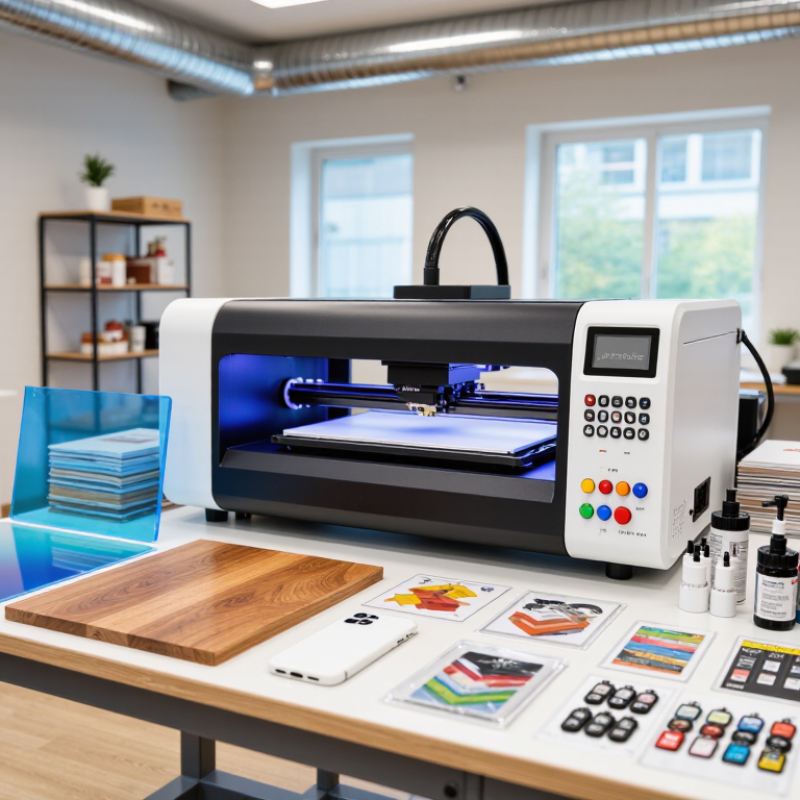
A UV printer places specially formulated ink directly onto a surface, then uses ultraviolet light to cure it. The light hardens the ink almost immediately, rather than waiting for it to dry in the air. That is the basic idea. For a small business, it can mean printing crisp graphics on items such as acrylic signs, phone cases, or coated wood panels. The exact result depends on the material and printer setup.
During printing, a printhead moves across the item and releases tiny droplets of ink in a controlled pattern. UV lamps follow close behind, curing each layer as it is applied. Many machines use a flatbed that holds rigid objects steady; some also handle flexible materials. White ink can help colors show on dark or transparent surfaces, while a clear layer can add gloss or texture. Tiny details matter.
Before a job, check that the surface is compatible and clean, and use a test print when possible. Some materials need a primer or a simple jig to keep items aligned. I would not call the process effortless: curved objects, uneven surfaces, and frequent setup changes can affect quality. A small test run often reveals more than a promising product sample.
A UV printer can turn flat stock into small, personalized products: acrylic becomes desk signs, wood becomes name plaques, and coated metal becomes durable-looking tags. Glass panels, ceramic tiles, leather goods, and rigid packaging can also be printable, depending on the machine, ink, surface treatment, and curing setup. Small runs matter. A café might need six table signs, not six hundred; a local maker may test a design on a single wooden ornament before taking orders. Keep the products close at hand. Tiny items can shift during printing, while glossy acrylic shows fingerprints and dust with surprising honesty.
Packaging and display work offer another route. Smithers’ report, The Future of Digital Print for Packaging to 2028, estimated digital packaging print at about $22.5 billion in 2022 and projected $36.9 billion by 2028. That growth points to demand for shorter, customized packaging runs, though it does not guarantee sales for any individual shop. A small business could print branded boxes, sample sleeves, product labels, or short-run promotional panels, if the substrate suits the equipment. I’d test adhesion and scratch resistance before quoting a large order. One awkward detail: an image that looks crisp on a screen may lose contrast on dark wood. Food-contact packaging also requires suitable materials and verified compliance; ordinary UV printing should not be assumed safe for direct food contact.
A UV printer can make short production runs practical for a small business. It cures ink with ultraviolet light, so printed items are usually ready to handle quickly. A shop might personalize phone cases, signs, or small promotional objects without ordering hundreds at once. Small batches become practical. That flexibility can reduce leftover stock and help test new designs with real customers.
The benefits depend on the work you actually sell. Flat, clean surfaces are generally easier to print consistently than curved or textured ones. Material compatibility also varies, so test adhesion and color on the exact item before promising a finish. A sample may look sharp under bright shop lighting but less vivid in a customer’s home. Results need checking. White ink can expand design options on dark materials, but it may add setup and maintenance demands.
Costs reach beyond the printer’s purchase price. Include ink, replacement parts, cleaning time, failed prints, and staff training in your estimates. Nozzle checks and routine maintenance matter; neglected printheads can interrupt production. A UV printer can also occupy valuable workspace, and some jobs still need careful positioning or surface preparation. It is easy to overestimate demand after a few successful samples. Compare expected weekly orders with the machine’s real workload, and leave room for mistakes. A slower manual process may remain the better choice for occasional jobs.
A practical view of common benefits and limitations
Ratings are qualitative comparisons, not measured industry statistics. UV printing cures ink with ultraviolet light, enabling printing on many rigid and flexible materials, depending on the printer, ink, and substrate. Consider equipment and maintenance costs, material testing, and the fact that UV curing does not guarantee outdoor durability.
A UV printer can make short-run personalization practical, but its purchase price is only one part of the budget. Include ink, cleaning supplies, replacement parts, and routine maintenance in your estimate. Ink use varies with coverage, material, and print settings. A small logo on a phone case costs less to print than a full-color design across a large panel. Small jobs still use setup materials. Ask for a written estimate of recurring consumables and service needs, then compare it with your expected monthly orders. Measure twice.
The machine’s footprint is not the space it needs to work safely and efficiently. Leave room to load items, open covers, reach controls, and clean around the print bed. A tabletop model may fit on a sturdy bench, but the bench must also support the printer and its materials. Check the manufacturer’s ventilation and operating-environment guidance before choosing a room. You may also need storage for blanks, inks, and packaging. That adds up.
Before buying, mark the printer’s dimensions on the floor with tape and test your workflow using a sample product. Track how long loading, setup, and cleaning take; those minutes affect the real cost of each order. A realistic budget should include electricity, software, waste from test prints, and occasional downtime. It is easy to underestimate these items, especially when orders are irregular. Leave some room in the budget for surprises.
Typical planning estimates for a small-business UV printing setup. Costs are in U.S. dollars and vary by printer size, configuration, supplier, and location.
| Category | Typical planning range | What it means for a small business |
|---|---|---|
| Desktop UV printer purchase | About $5,000–$15,000 | A lower-entry option for small items and limited production volume. Confirm printable area, material thickness, included software, and support before budgeting. |
| Larger flatbed printer purchase | About $15,000–$40,000 or more | Typically suited to larger workpieces or higher throughput. A larger machine may also require more workspace, installation planning, and operator training. |
| Initial setup and supplies | Allow roughly $500–$3,000 | May cover starter ink, cleaning supplies, compatible workholding, ventilation improvements, and basic training. Some equipment packages include part of this. |
| Ink and routine consumables | Varies substantially with coverage and print volume | Ink use depends on image coverage, white ink, varnish, and maintenance cycles. Ask for a sample-job estimate based on your products rather than relying only on a cost-per-page figure. |
| Printer footprint | Desktop units: often about 2–4 ft wide; larger flatbeds: commonly 4–8 ft or more | Check the machine’s full dimensions, including covers, loading access, and service panels. The work area must also accommodate the largest item you intend to print. |
| Working clearance | Plan for roughly 2–3 ft of accessible space around service and loading sides where practical | Clearance makes it easier to load materials, clean the printer, and perform routine maintenance. Follow the equipment supplier’s installation requirements. |
| Worktable and storage | Typically requires a stable table or floor space plus separate material storage | Keep substrates flat, clean, and protected from dust. Allow room for packaging, finished goods, and supplies in addition to the printer itself. |
| Power and ventilation | Depends on the machine and the workspace | Check the printer’s electrical specifications and ventilation guidance before installation. UV printing can involve odors and process emissions; use the manufacturer’s recommended controls. |
| Maintenance and downtime | Budget time and supplies for regular printhead checks and cleaning | Maintenance needs increase if the printer sits unused. A consistent print schedule and following the maintenance instructions can help protect print quality and reduce interruptions. |
| Potential small-business advantages | Direct printing on many compatible rigid and flat materials | UV printing can support customized products and short runs without a separate transfer step for many jobs. Test adhesion and durability on each material before selling the finished product. |
Budgeting note: These are broad planning ranges, not supplier quotes. Prices and requirements differ by region and equipment specification; request current written quotes and verify the printer’s footprint, electrical load, ventilation needs, and operating costs before purchase.
Choosing a UV printer starts with the products you plan to sell, not the largest machine you can afford. List your usual materials, maximum item size, and expected weekly orders. Then check the printer’s bed dimensions and maximum object height. A phone case and a wooden sign need different clearance. Measure twice.
Consider which features your work truly requires. White ink can help prints stand out on dark or transparent materials, while a rotary attachment may suit cylindrical objects. Ask for sample prints on your own materials; coating and surface texture can affect adhesion and color. A glossy sample looks convincing, but it does not prove every batch will behave the same way. Test a few pieces and inspect them after curing.
Calculate the full operating cost, including ink, cleaning supplies, replacement parts, and maintenance time. Ask how often printheads need attention and whether routine service is easy to perform. Check workspace needs, too: loading access, stable temperature, and suitable ventilation matter. Request clear training and support details before buying. A lower purchase price may not stay lower. Honestly, estimating future demand is difficult, so leave room to grow without paying for capacity you may never use.