Top A3 UV Printers for Small Businesses?
An A3 Uv Printer can help a small business add full-colour printing to signs, gifts, promotional items, and other flat products. But a compact footprint does not guarantee a simple purchase. The right machine must match the materials you actually sell, the space you have, and the time available for setup and maintenance. Small details matter: a sample print on your own stock can reveal issues that a glossy product photo cannot.
There is a larger market behind this equipment. Grand View Research estimated the global UV printing market at US$4.42 billion in 2023 and projected a 9.2% compound annual growth rate from 2024 to 2030. That estimate covers a broad market, not A3 printers alone. It should not be treated as proof that every small business needs one. Useful context, not a buying decision.
This guide compares A3 models through practical questions: printable area, material compatibility, print quality, white-ink or varnish options, operating costs, and manufacturer support. It also considers workflow. Can one person load a small batch, check alignment, and finish orders without disrupting other work? A low purchase price may look attractive, yet ink, upkeep, training, and downtime affect the real cost. Easy to overlook. Specifications can be incomplete, too, so confirm key details with the manufacturer and test representative materials before committing. The best choice is not always the most capable machine; sometimes, the safer fit is the one your team can use consistently.
What Is an A3 UV Printer and How Does It Work?
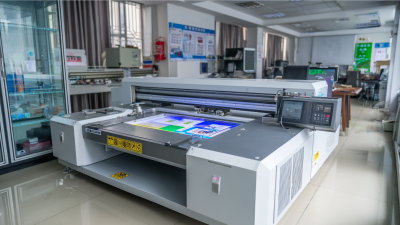
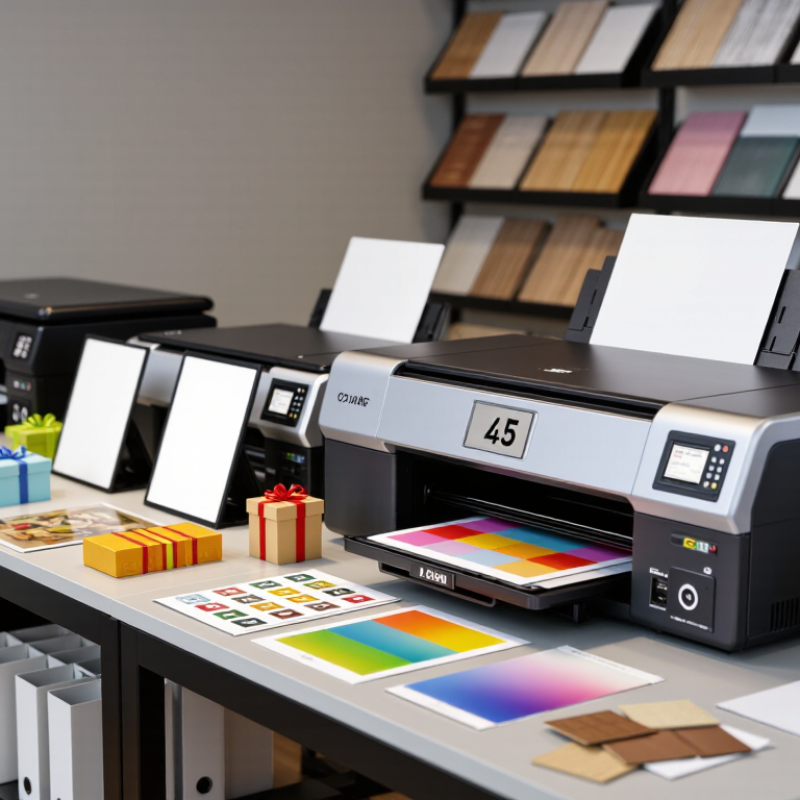
An A3 UV printer is a digital printer that typically handles objects or flat materials up to about 297 by 420 millimeters. The “A3” label describes the print area, not the thickness or weight every machine can accept. Many models use a flatbed, where an item rests beneath the printhead. Common jobs include graphics on phone cases, signs, packaging samples, and small promotional products.
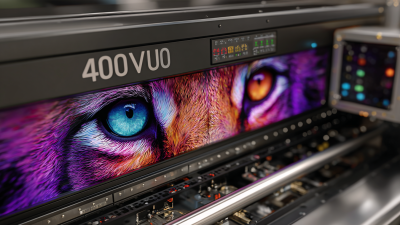
Here is the basic process. The printhead places tiny drops of UV-curable ink onto the material. LED lamps beside the head expose the ink to ultraviolet light, curing it quickly into a solid layer. That matters. Some printers also apply white ink beneath colors on dark or transparent surfaces, or a clear layer for texture. Results depend on surface preparation, ink settings, and how securely the object sits. Dust, fingerprints, or uneven placement can spoil an otherwise good print.
A rigid surface often needs cleaning, and some materials may require a compatible primer or adhesion test. Not every surface. Before production, print a small sample and check color, durability, and edge alignment. Operators should follow the printer’s instructions for ventilation, UV shielding, and ink handling. The workflow is fast, but setup still takes care; I would not assume a cured sample proves every material will perform the same way.
Key Factors for Choosing an A3 UV Printer
Choosing an A3 UV printer starts with the objects you actually plan to print. An A3 bed handles items such as phone cases, small signs, and flat panels, but usable space may shrink near the frame edges. Check maximum material thickness too. A thick notebook cover may fit the bed yet sit too high for reliable printing. Measure your typical items before comparing machines.
Look beyond advertised speed. Ask how long a detailed, full-color job takes with white ink or clear varnish enabled. Check whether the printer supports your common materials, and request sample prints on similar surfaces. Consistent curing and adjustable print settings matter more than a flashy speed figure. Also consider daily upkeep: printhead cleaning, ink storage, and access to replacement parts. A compact machine can still demand real attention. I would not assume a larger feature list means an easier workflow.
Tips: Leave room around the printer for loading items and routine cleaning. Ask about training, technical support, and consumable availability before buying. Keep a small test log with material, settings, and results; it helps spot changes in print quality. Be honest about expected order volume. Buying capacity you rarely use can strain a small budget.
Top A3 UV Printers for Small Businesses
For a small business, an A3 UV printer can handle personalized phone cases, signs, packaging samples, and short-run promotional items without requiring a large-format production floor. A3 sheets measure 297 by 420 millimeters, so check the actual printable area, not just the paper size. Fixtures can reduce usable space. That detail is easy to miss.
When comparing machines, look for reliable white-ink circulation, adjustable print height, and a vacuum table that holds thin materials flat. Ask the supplier for a live demonstration using your own items, including a dark surface and a textured sample. Check curing consistency at the edges and whether fine text stays sharp. A fast advertised speed may refer to a draft setting, not sale-ready quality. I would also budget for ventilation, maintenance, and occasional nozzle cleaning; these costs can make an inexpensive machine less attractive.
Market demand offers context, but not a buying guarantee. Grand View Research estimated the global UV inkjet printer market at USD 1.27 billion in 2022 and projected an 8.6% compound annual growth rate from 2023 to 2030. That report covers more than A3 equipment, so it cannot predict a small shop’s sales. Before investing, test a few realistic jobs and calculate material waste, labor, and curing time. The first estimate may be wrong. That is useful to discover early.
Comparing Print Quality, Speed, and Operating Costs
A3 UV printers can help small businesses personalize signs, packaging prototypes, phone cases, and display pieces. Print quality depends on more than advertised resolution. Check fine text, smooth gradients, and white ink coverage on materials you actually sell. A crisp logo on coated acrylic may look different on wood or textured plastic. Make test prints. Keep them.
Speed figures often describe ideal production conditions, not mixed orders with setup and curing checks. A small shop may value reliable turnaround more than the fastest draft mode. Compare a batch of identical items with a single custom piece. Record the time for loading, alignment, cleaning, and rejected prints. These minutes count.
Operating costs include ink, lamps, cleaning supplies, replacement parts, and wasted blanks. Ask how the printer handles idle periods; dried ink or frequent cleaning can quietly raise expenses. Track ink use across several jobs instead of relying on one estimate. Check ventilation, workspace, and service access before buying. The spreadsheet may miss one cost: operator time. A lower purchase price is not always cheaper when calibration requires patience and training. Some days, it does. But dependable results reduce reprints, which consume both material and margin.
Best Business Applications for A3 UV Printing
A3 UV printing suits small businesses that sell short-run, customized products. Useful applications include acrylic desk signs, menu boards, phone cases, wooden keepsakes, and branded packaging prototypes. A flatbed printer can place vivid graphics directly onto rigid sheets, reducing the need for labels or outsourced decoration. Small runs matter. They let shops test designs without holding large inventories.
Demand for personalized goods is supported by broader online retail growth. The U.S. Census Bureau reported that 2024 U.S. e-commerce sales reached $1.1926 trillion, up 8.1% from 2023, in its Annual Retail Trade Survey. That figure does not measure UV printing demand, but it signals a sizable channel for customized products. A small shop might offer locally themed acrylic signs online, then print only after orders arrive.
A3’s compact bed works well for names, logos, and small batches, but limits large-format work. Before selling, test ink adhesion on each material, especially coated wood and acrylic. Check cure consistency, white-ink opacity, and whether a simple holding jig keeps pieces aligned. Check adhesion first. Glossy samples can hide edge lifting, so inspect prints after handling and cleaning. Allow time and cost for failed tests; I would not price from the best sample alone.