Inquiry
Form loading...
Choosing among the top DTF UV printers for global buyers in 2026 takes more than comparing advertised speed. A Dtf Uv Printer should match the materials, order sizes, and working conditions of the business using it. Buyers commonly compare print width, white-ink handling, varnish options, software, and the availability of replacement parts. A glossy sample may look impressive, but it cannot show how consistently a machine performs across a full production shift.
Practical checks make the comparison more useful. Ask for sample prints on materials similar to your own, and confirm the recommended film and curing process. Review maintenance instructions, ink costs, warranty coverage, and access to trained technical support. For international purchases, check the machine’s power requirements, packaging, shipping arrangements, and local service options before placing an order. Small details matter. A low purchase price can lose its appeal if routine parts take weeks to arrive.
This guide considers machines through those everyday buyer concerns, rather than treating one specification as proof of quality. It also recognizes that published speeds and print results may vary with artwork, settings, materials, and operator experience. No shortlist can replace a careful test. Use the comparisons to narrow your options, then request current specifications and written support terms from each supplier. The best choice may not be the most powerful model; it may be the one your team can run reliably, maintain confidently, and afford over time.
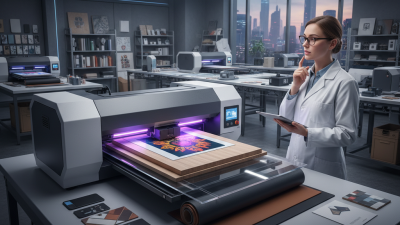
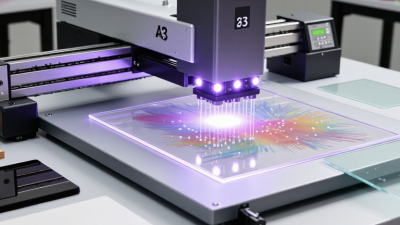
UV DTF printing creates a decal-like graphic on a special film. The printer deposits color, white ink, and often a clear varnish in layers. UV light cures the ink during printing. The design is then paired with an adhesive film and transferred onto the item. No heat press is needed. The finished image can show fine lettering and a raised, glossy feel.
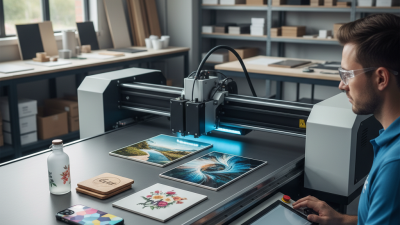
This workflow suits hard, relatively smooth objects: glass jars, coated metal tumblers, acrylic signs, and phone cases. Small studios use it for short runs and customized products, especially when direct printing on an awkward shape is difficult. But adhesion still needs testing. Dust, oil, texture, and curvature can affect the result, and not every plastic behaves the same way. Grand View Research valued the global digital printing market at USD 35.0 billion in 2023 and forecasts 6.7% annual growth from 2024 to 2030. Its report covers digital printing broadly, not UV DTF alone, so that figure signals wider demand rather than a precise forecast for this process. A sample transfer on the actual surface remains more useful than assumptions.
| Category | Typical Data or Specification | Practical Importance |
|---|---|---|
| Printing process | UV-curable ink is printed onto a clear transfer film, commonly called Film A. A UV light source cures the ink during printing. | The printed design can be prepared as a transfer rather than printed directly onto the final object. |
| Transfer construction | A typical workflow prints color, white ink and a clear varnish layer, then laminates the printed film with an application film, commonly called Film B. | The laminated film helps hold the design together for positioning and transfer. The exact layer order and film system depend on the printer and consumables. |
| Application method | The transfer is positioned on a clean surface, pressed down, and the carrier film is peeled away according to the film supplier’s instructions. A heat press is generally not required. | This makes the process useful for hard-goods decoration and for objects that are awkward to feed through a direct-printing machine. |
| Printer formats | Common configurations include compact desktop units and wider roll-fed systems. Available print width, feed method and production capacity vary by model. | Choose a format based on the largest transfer required, expected job volume, workspace and material-handling needs. |
| Ink and color layers | Typical systems use CMYK color inks, white ink and clear varnish. White ink can provide an opaque backing; varnish can add a gloss or raised-effect finish when supported by the setup. | Confirm supported ink channels and effects, and follow the equipment maker’s requirements for ink circulation and maintenance. |
| Suitable surfaces | Transfers are commonly used on clean, smooth, relatively non-porous surfaces such as glass, acrylic, coated metal and some plastics. | Adhesion varies with the substrate, coating, surface texture and cleaning method. Test each material before production. |
| Common applications | Product labels, promotional items, drinkware, packaging, signs, device cases and customized hard goods. | Transfers can be made in batches and applied to objects with shapes that are difficult to place directly under a print head. |
| Curved objects | Transfers may be applied to simple curved surfaces when the design, film and object geometry allow smooth contact. | Deep compound curves, sharp edges and heavily textured surfaces can cause wrinkles, lifting or incomplete adhesion. |
| Not a textile process | UV DTF transfers are designed primarily for hard surfaces; they are not the same as textile DTF transfers made for garments. | For apparel decoration, select a textile printing process and transfer materials made for fabric. |
| Durability considerations | Scratch, water, chemical and outdoor resistance depend on the ink, curing, film, substrate, application and exposure conditions. | Do not assume dishwasher safety, food-contact suitability or long-term outdoor performance without relevant testing and supplier documentation. |
| Buyer evaluation | Compare supported media width, print speed at the intended quality, curing system, white-ink maintenance, software, ventilation requirements and local technical support. | Ask for a sample printed on the intended substrate and verify the complete transfer workflow before purchasing. |
Note: Specifications and results vary by printer configuration, ink, film and substrate. Confirm current operating requirements with the equipment and consumables suppliers.