How to Choose a UV Flatbed Printer for Your Business?
Choosing a UV Flatbed Printer is not just a search for the highest resolution or fastest print speed. It is a decision about the work your business can reliably produce. A sign shop printing acrylic panels has different needs from a maker decorating phone cases or small wooden gifts. Consider the materials you use, the largest pieces you print, and how often jobs change. Then compare bed size, ink configuration, white-ink capability, curing performance, and software support. Small details matter. Can an operator load a rigid panel without awkward lifting? Does the printer hold registration across repeated pieces? Ask for a sample made on your actual material, not only a glossy brochure image.
Print-industry consultant Laurel Brunner is a recognized voice on print technology, but I could not verify a direct quote from her about UV flatbed selection. Rather than invent one, use this editorial guidepost: “Choose the workflow your business can sustain, not the specification that looks best on paper.” It captures a practical buying principle, not a quotation attributed to Brunner. Calculate the full cost, including ink, maintenance, training, ventilation needs, and downtime. Ask the supplier how routine cleaning works and what support looks like after installation. Check whether the machine handles your typical job without extra passes or constant operator intervention. There is a less comfortable question, too: will demand justify the investment? A printer can be impressive and still be the wrong purchase. Use the sections ahead to weigh real production needs against appealing features, and leave room for uncertainty where your job mix may change.
Define Your Business Needs, Products, and Substrates
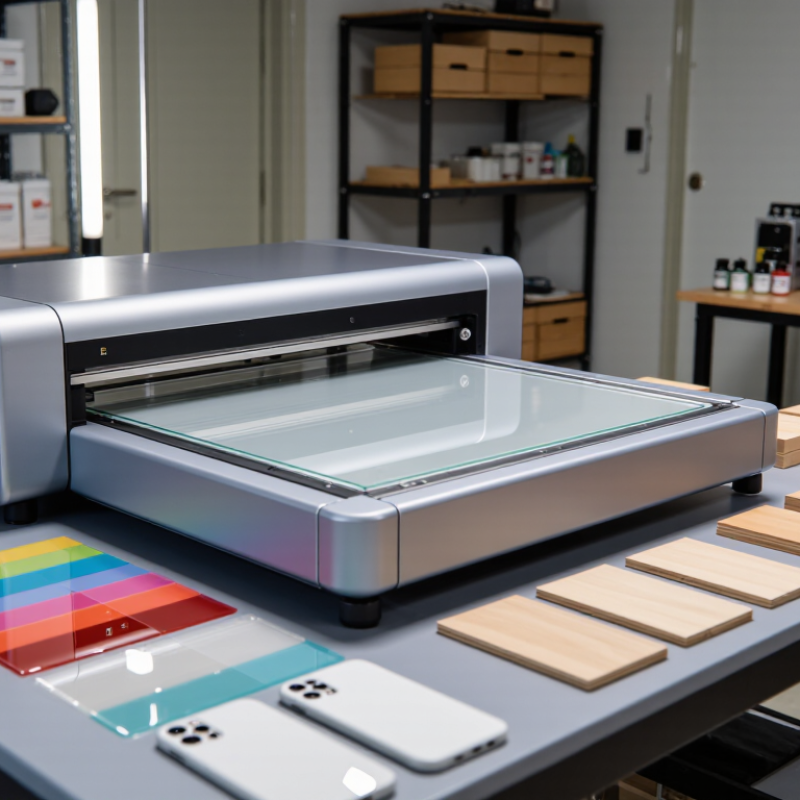
Begin with the products you expect to print, not the printer’s feature list. Are they phone cases, signs, packaging prototypes, or custom gifts? Note their dimensions, average daily quantity, and the level of detail customers expect. A shop printing small batches may value quick setup and easy job changes more than maximum speed. Measure your largest items, too. A 30-centimeter panel can become an awkward fit when you add a jig or leave room for handling.
Then list every substrate you plan to use. Glass, wood, acrylic, metal, and coated materials can behave differently under printing and curing. Surface texture, color, rigidity, and heat sensitivity all matter. Bring real samples to a supplier and ask for test prints, including a white layer if your designs need opacity on dark materials. Check adhesion after curing, not just appearance straight off the bed. A clean sample can still mislead. Production surfaces may vary between batches, and curved or uneven items can need extra setup. Record what worked, including pretreatment and curing settings. Some details will change later; that is normal. Leave room in your budget and workflow for testing before promising customers a finish you have not verified.
How to Choose a UV Flatbed Printer for Your Business?
Define your business needs, products, and substrates before comparing printer features.
Lower-surface-energy plastics such as polyethylene and polypropylene can be more challenging for ink adhesion and may require pretreatment or an adhesion promoter. These ranges are indicative: coatings, treatments, and measurement methods affect results. Test your actual materials with the intended ink before choosing a printer.
Match Printer Size and Production Capacity to Your Workload
Smithers’ report, The Future of Digital Printing to 2032, estimated the global digital print market at $167.5 billion in 2022, with a forecast of $251.1 billion by 2032. This broad figure signals a growing market, not a guaranteed workload for any one shop. Your job tickets are better sizing evidence. Count the panels, substrates, and repeat orders you actually handle.
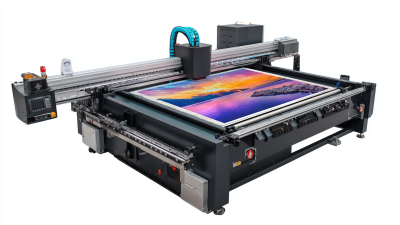
Measure a typical busy week, then calculate printable area per shift. Include loading, setup, cleaning, and curing time; published speed figures often describe ideal conditions. A 1.2 × 2.4-meter bed may fit full-size panels, while a smaller bed could suit plaques, labels, or short runs. Check usable print area, not just the machine’s exterior dimensions. Check substrate thickness, too. A thick jig can reduce usable clearance.
For example, if jobs regularly include four large panels, a smaller bed may force extra passes and handling. But a larger bed only helps when orders fill it often enough. Smithers’ market forecast cannot tell you that. Track actual utilization for several weeks, and ask operators to time a representative job in the intended print mode. The result may be less tidy than a sales estimate. That is useful. Allow room for seasonal peaks, but avoid paying for capacity that sits idle.
How to Choose a UV Flatbed Printer for Your Business? - Match Printer Size and Production Capacity to Your Workload
| Printer Class |
Typical Print Bed |
Common Workpieces |
Indicative Production Rate |
Planning Output per 8-Hour Shift |
Best Fit |
Key Trade-Off |
| Compact |
Approx. 300 × 420 mm (12 × 17 in) |
Small signs, phone cases, promotional items, small panels |
About 0.5–2 m² (5–22 ft²) per hour |
About 3–10 m² (32–108 ft²) |
Start-ups, custom-product shops, short runs, and limited-floor-space operations |
Small bed limits the number or size of items printed in each batch. |
| Mid-size |
Approx. 600 × 900 mm (24 × 35 in) |
Medium signs, display panels, packaging prototypes, multiple small items |
About 1–4 m² (11–43 ft²) per hour |
About 6–20 m² (65–215 ft²) |
Mixed custom work and growing businesses handling regular small-to-medium orders |
Offers more batch flexibility, but may not accommodate full-size rigid sheets. |
| Large-format |
Approx. 1300 × 2500 mm (51 × 98 in) |
Large rigid panels, furniture parts, interior décor, multi-item production batches |
About 3–10 m² (32–108 ft²) per hour |
About 18–50 m² (194–538 ft²) |
Established sign, display, and décor shops with consistent panel demand |
Requires more floor space, material-handling capacity, and room for loading. |
| Extra-large |
Approx. 2500 × 1300 mm (98 × 51 in) or larger |
Wide-format boards, large décor panels, architectural elements, high-volume batches |
About 5–15 m² (54–161 ft²) per hour |
About 30–75 m² (323–807 ft²) |
High-throughput production teams with large, repeatable jobs and suitable material handling |
Higher space and operating requirements; a large bed can be underused with small, irregular jobs. |
Planning note: Production rates and shift outputs are indicative ranges, not guaranteed specifications. Actual results depend on print mode, image coverage, resolution, pass count, white or varnish layers, loading and unloading time, setup, and operator workflow. Compare the printer’s usable bed area and supported material thickness with your actual workpieces before choosing.
Compare Print Resolution, Ink Options, and Curing Systems
Choosing a UV flatbed printer starts with the work you actually sell.
A 1,200-dpi setting sounds impressive, but it may not produce finer details at production speed. Check sample prints for small text, gradients, and registration on your intended materials. Ask for the resolution and pass count used for each sample.
Smithers’ report, The Future of Digital Printing to 2032, projects digital print value rising from $136.7 billion in 2022 to $230.5 billion by 2032. That points to expanding applications, but it does not tell you which printer fits your shop. Test it first.
Ink options shape both appearance and workflow.
CMYK handles many graphics, while white ink can create opacity on dark or clear surfaces; varnish adds selective gloss or texture. Confirm that the ink adheres to your real substrates, such as acrylic, wood, or coated metal.
Then compare curing systems. UV LED curing can reduce heat exposure on sensitive materials, but results depend on ink compatibility, lamp output, and conveyor speed. Request a cured sample and check adhesion after handling. Honestly, sample tests take time, and one substrate may behave differently from another. That is worth discovering before purchase.
Assess Workflow Compatibility, Operating Costs, and Maintenance
Start with the jobs you actually run: substrate sizes, object height, daily volume, and finishing steps. Check that the printer’s bed and loading method suit your products, not just a showroom sample. FESPA’s 2023 Print Census surveyed 1,778 print businesses in 120 countries; 69% expected sales growth. That points to changing workloads, so consider whether the setup can handle both short custom runs and repeat jobs. Run your own files and materials through a test, including loading and unloading. A perfect demo proves little.
Compare cost per saleable job, not ink price alone. Log ink use, electricity, labor, cleaning supplies, filters, waste, and service costs over a representative week. Ask how curing settings and color profiles affect throughput; a faster pass may not reduce total cost if it creates reprints. Maintenance matters. Confirm the daily head-cleaning routine, access to service parts, and likely downtime. A spreadsheet still misses awkward jobs, so leave room for real production trials before committing.
Check Supplier Support, Warranty, and Long-Term Reliability
A UV flatbed printer is only as dependable as the support behind it. Ask who installs the machine, trains operators, and handles service calls. Get response times in writing, including weekends and remote troubleshooting. A clear warranty should explain coverage for the carriage, electronics, and UV curing system. Check exclusions carefully. Printheads, ink, and accidental damage may be treated differently. Ask for proof.
The U.S. Department of Energy’s 2010 Operations & Maintenance Best Practices Guide reports that predictive maintenance can save 8–12% compared with preventive maintenance. This is a cross-industry benchmark, not a guaranteed saving for UV printers.
Still, it shows why maintenance planning matters. Ask the supplier for a service schedule, spare-parts lead times, and examples of maintenance records. I would not assume a polished demo predicts a difficult Monday. Request a reference from a similar print operation, then ask how long repairs took and which parts were unavailable. If the answer is vague, that is useful information too. A little awkwardness here is better than discovering warranty limits after production stops.