Choosing the best A2 UV printer starts with the work it needs to do. These machines can print on many flat materials, but compatibility depends on the printer, ink, and surface. A sample test matters. A glossy acrylic panel, coated wood sign, and phone case can each behave differently under the same settings.
This guide compares the features that affect everyday results: print area, white ink handling, curing performance, bed stability, software, maintenance, and support. It also considers operating costs, because purchase price alone rarely tells the full story. A small studio may prefer straightforward setup and a compact footprint. A production shop may need faster output and reliable repeatability. Neither choice is automatically better. Real workload decides.
When evaluating a Uv Printer A2, look beyond headline resolution or speed claims. Ask how those figures were measured, what materials were tested, and whether sample prints are available. Check the usable print height, since thicker objects can reduce the range of suitable projects. Maintenance deserves equal attention; a printer that sits unused may need more care than expected. That point is easy to overlook. The comparisons ahead aim to separate practical strengths from attractive specifications, while recognizing that no single model suits every buyer. A careful shortlist, followed by hands-on testing where possible, is a more dependable path to the right machine.
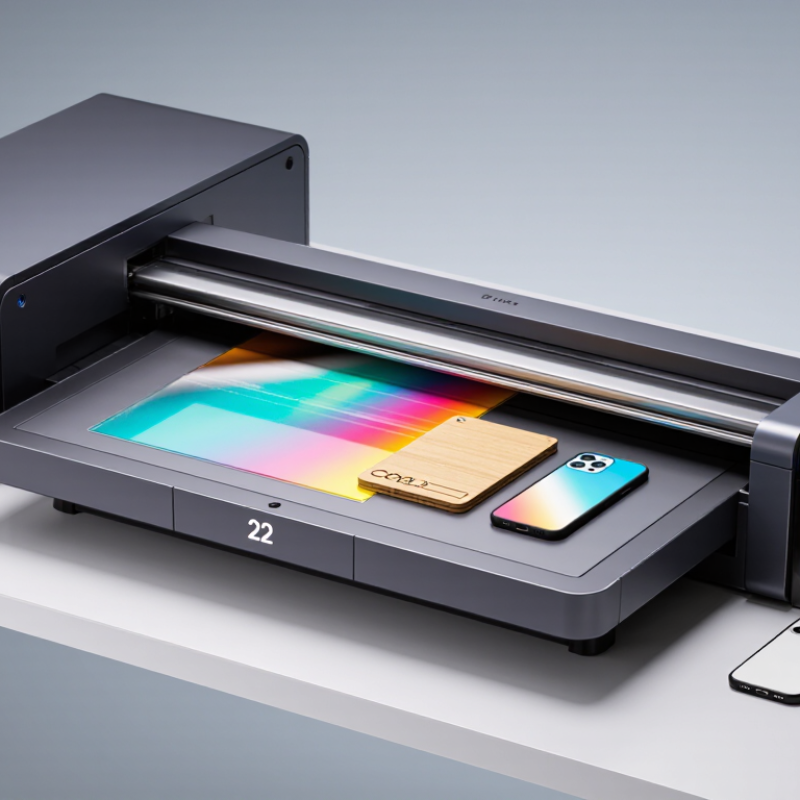
An A2 UV printer uses ultraviolet light to cure ink as it prints, creating a dry surface almost immediately. A2 paper measures 420 by 594 millimeters, but the usable print area can be smaller. Check the machine’s actual bed size before planning signs, panels, or product samples. Not every flat object fits.
Key features affect daily work more than impressive resolution figures alone. A height-adjustable bed helps accommodate materials with different thicknesses, while a stable vacuum table can reduce movement during printing. White ink can support designs on dark or transparent surfaces; clear varnish may add gloss or texture. These options require careful setup. A small test print can reveal uneven coverage, color shifts, or poor adhesion before a full run. That step is easy to skip when deadlines are tight.
Consider the printhead maintenance routine, ink usage, and software workflow, too. Clogged nozzles can interrupt a job, so regular checks matter. Ventilation and the printer’s operating instructions should also guide where it is installed. I would not judge a machine by speed alone; slower, consistent output may suit detailed work better. Still, material compatibility can be unpredictable, and a printer’s specifications cannot replace testing the actual surface.
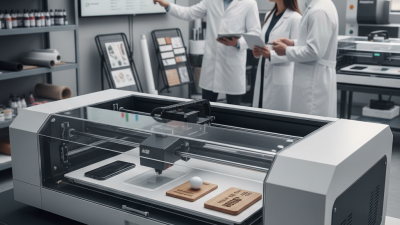
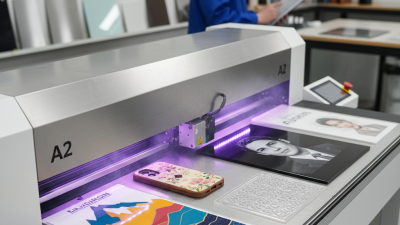
An A2 UV printer is built around a nominal 420 × 594 mm print area, but usable space can vary by model. A flatbed configuration suits rigid items such as signs, panels, and phone cases. Check the clearance beneath the carriage: a tall object may not fit, even when its footprint is small. Some machines include a rotary attachment for cylindrical products. It adds flexibility, but setup takes time and can reduce room for other jobs.
Printhead count, ink channels, and curing controls shape the real workflow. More channels may support white ink or varnish, useful for dark surfaces and raised-looking finishes. They also add maintenance needs. A simpler configuration can be easier to learn and may suit steady, low-volume work. Compare sample prints, not just quoted speed. Fine text on a textured panel can reveal limits that a glossy brochure hides. That detail matters.
Tips: Measure your largest items, including clamps and jigs. Ask for a test print on your own material, then inspect small text, white coverage, and edges. Leave room for routine cleaning. I would not choose by maximum speed alone; actual results depend on artwork, substrate, and setup.
Print quality should be checked on real jobs, not just glossy sample cards. An A2 sheet measures 420 × 594 mm, but the usable print area may be smaller. Ask for a test on your own stock. Inspect fine text, smooth color gradients, white-ink registration, and edges under ordinary room light.
A practical detail: run the same file on clear acrylic and dark-coated material. Differences show quickly. That test is worth the setup time.
Material range matters only when prints adhere reliably. Compare results on acrylic, coated wood, aluminum, and glass, using the surface preparation your shop can maintain. Check for scratches after curing and handling. A beautiful first print can still fail later. That part is easy to overlook.
Production speed needs the same skepticism: time a full batch, including loading, curing, cleaning, and repositioning—not only printhead movement. Record both setup time and usable output per hour.
Smithers’ The Future of Digital Printing to 2032 estimates the global digital-printing market at $167.5 billion in 2022, with a projection of $251.1 billion by 2032. This broad market forecast is not specific to A2 UV machines, but it highlights why repeatable output matters.
Compare printers using identical files, materials, and batch sizes. Keep the imperfect samples, too; they reveal more than a polished demonstration.
Top A2 UV Printer Which One Is Best?
Reviewing Costs, Maintenance, and Operating Requirements
An A2 bed measures 420 × 594 mm under ISO 216, but usable print area may be smaller. Check the manufacturer’s stated dimensions before planning jobs. Purchase price is only one cost. Include ink, replacement parts, ventilation, staff time, and rejected prints in your estimate. The U.S. Energy Information Administration reported an average commercial electricity price of 12.41 cents per kilowatt-hour in 2022. Actual rates vary by location, so use your own utility bill to estimate running costs. Electricity matters, but it is rarely the whole story.
Maintenance needs deserve equal attention. Ask how often the printhead, capping station, and UV lamp or LED system need inspection. Check whether routine cleaning requires special supplies or trained service staff. A printer that sits idle may still need regular care; dried ink can turn a quiet week into an expensive service call. Compare written maintenance schedules, warranty coverage, and the cost of common replacement parts. I would not trust a low quote without those details. It is easy to underestimate the daily cleaning time.
Tips: Request a sample job using your own material. Record setup time, ink use, and cleaning time. Then ask for a written estimate of annual service costs. Small differences matter. If you print only occasionally, maintenance and idle time may outweigh speed. For frequent production, confirm the printer’s power requirements, ventilation guidance, and workflow fit before choosing.
Choosing the best A2 UV printer starts with the object, not the feature list. A2 covers roughly 420 by 594 millimeters, but a large flatbed does not guarantee that a finished item will fit. Check usable print area, maximum object height, and whether fixtures reduce the printable space. A phone case, a wood panel, and a curved bottle each need different support and setup. Small details matter. Ask for a test print on your actual material, then check adhesion, color, and fine text after curing. White ink can help on dark surfaces, while varnish can add texture, but both may affect production time and maintenance.
Industry context helps, but it should not replace a practical trial. Grand View Research estimated the global digital printing market at USD 34.3 billion in 2023 and projected a 6.2% compound annual growth rate from 2024 to 2030 in its Digital Printing Market report. This covers digital printing broadly, not A2 UV equipment specifically. For a small studio, compare output quality at the speed you can use every day, rather than relying on a maximum-speed figure. Also inspect cleaning access and ink-change procedures; a printer that is awkward to maintain can lose valuable production hours. That is easy to overlook. A short print test may still miss long-run issues, so review sample results and service requirements carefully.
| Top A2 UV Printer Which One Is Best? - Matching Printer Capabilities to Your Intended Applications | ||||||
|---|---|---|---|---|---|---|
| Intended Application | Typical Materials | Useful Print Area | Capability to Prioritize | White Ink | Clear Varnish | Best Fit When... |
| Flat signage and display panels | Acrylic, PVC board, coated metal, wood, and other compatible rigid sheets | Up to A2 size (420 × 594 mm); usable area depends on the printer's margins and fixture | Consistent flatbed registration, even curing, and support for the required sheet thickness | Useful for printing on dark or transparent materials | Optional, for spot gloss or a textured finish | You need direct-to-substrate printing on flat panels, prototypes, or short-run signs |
| Personalized phone cases | Compatible plastic cases and selected coated cases | One or several cases per setup, depending on the bed layout and jig | Accurate positioning, a suitable case fixture, and reliable printing over slightly curved surfaces | Often needed for dark or transparent cases | Useful for gloss accents, but not essential for every design | Small batches and variable designs matter more than high-volume production |
| Promotional items and small objects | Compatible plastics, coated metal items, wood, and selected prepared materials | Determined by the item dimensions and the available jig; not every object uses the full A2 bed | Adjustable table height, secure fixturing, and enough clearance for the item | Helpful when the material is dark or transparent | Optional for decorative highlights | You print varied flat or low-profile products in short runs |
| Photo panels and decorative prints | Acrylic, coated panels, glass with suitable preparation, and other compatible flat surfaces | Up to A2 size when the material fits the printer's actual printable area | Fine-detail output, stable color management, and appropriate surface preparation | Important for opaque color on transparent or dark substrates | Useful when a selective gloss effect is required | Image detail and finish are more important than maximum production speed |
| Product prototypes and labels on rigid sheets | Rigid plastics, coated boards, and other materials verified for ink adhesion | Small parts can be arranged across the bed; layout depends on part size and fixtures | Repeatable placement, quick setup changes, and dependable adhesion testing | Depends on substrate color and transparency | Optional for finish samples or raised-effect experiments | You need to test designs or produce limited quantities before scaling up |
| Items with raised or uneven surfaces | Selected objects with shallow relief or modest surface variation | Limited by the object's footprint, height, and printhead clearance | Height adjustment, collision protection, and an appropriate print mode | Depends on the material and artwork | Optional; confirm that the printer supports the intended effect | The object is within the printer's specified clearance and can be held securely |
| Selection note: A2 refers to a sheet size of 420 × 594 mm, but a printer's usable print area may be smaller. UV ink adhesion depends on the specific substrate, coating, cleaning, and any required primer; test the actual material before production. Confirm maximum object height, white-ink and varnish options, curing requirements, and the manufacturer's stated throughput for your artwork and print mode. | ||||||