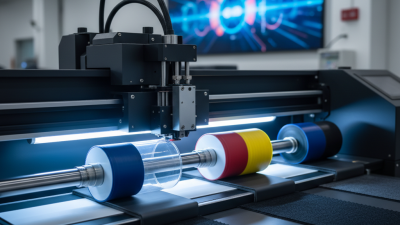
How to Choose the Best 9060 Uv Printer for Your Business?
Choosing the right 9060 UV printer for your business can be challenging. There are numerous options available. Each printer has unique features and specifications. Understanding these differences is crucial for making an informed decision.
When selecting a 9060 UV printer, consider your business needs. Assess the materials you will print on. Think about the size and volume of your projects. Not all printers deliver the same quality or speed. This makes it important to review customer feedback and expert opinions.
Moreover, take into account the support offered by manufacturers. Reliable customer service can save you time and money. You could face unexpected challenges without proper assistance. Aim for a printer that aligns with your budget and growth potential. A thoughtful selection can significantly impact your business success with the 9060 UV printer.
Factors to Consider When Selecting a 9060 UV Printer for Your Business
Choosing the right 9060 UV printer for your business involves several important factors. One major aspect is understanding your printing needs. Different businesses have varying requirements, such as printing speed, quality, and material compatibility. According to a recent industry report by Smithers Pira, the UV printing market is expected to grow by 6% annually. This growth indicates that businesses recognize the demand for high-quality prints.
Another consideration is the cost of ownership. While initial purchase prices vary, evaluating the overall cost is crucial. This includes maintenance, ink prices, and energy consumption. Often, cheaper printers may lead to higher long-term costs due to these factors. It's essential to analyze the total cost over the printer's life cycle, as this can significantly impact your budget.
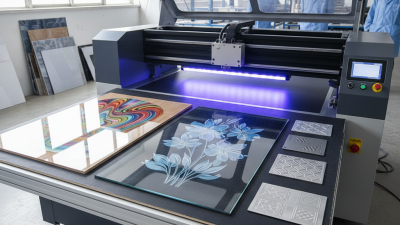
The versatility of the printer is also important. A 9060 UV printer should efficiently handle multiple substrates like plastic, wood, and glass. This adaptability can help your business expand its service offerings. However, not all printers excel in all areas. Some may perform well on specific materials while underperforming on others. It's crucial to test various substrates to ensure that the printer meets your unique demands. Doing thorough research and seeking expert advice can guide you in making a more informed decision.
Evaluating Print Quality: Key Metrics for UV Printers
When choosing the best 9060 UV printer, evaluating print quality is critical. Key metrics include resolution, color accuracy, and adhesion. Industry experts suggest that a resolution of 1200 DPI is optimal for fine detail. Print jobs often rely on superior color fidelity. Reports indicate UV printers should achieve over 90% color gamut coverage to ensure vibrant outputs.
Adhesion is another essential factor. It determines how well ink bonds to various substrates. Various materials like plastic, metal, and glass require different adhesion strengths. A recent survey indicated that over 75% of users reported increased productivity when using printers with strong adhesion properties.
Tips: Always test the printer with your specific materials. Conduct color calibration regularly. Understand that not every print will meet your standards; some adjustments may be necessary. Additionally, remember that over-saturating colors can lead to unwanted effects. Seek feedback on each print run to improve your process continuously.
Cost of Ownership: Initial Investment vs. Long-Term Operational Costs
When evaluating a 9060 UV printer for your business, understanding the cost of ownership is crucial. The initial investment is just one part of the equation. Many businesses overlook long-term operational costs, which can significantly impact profitability. Factors like ink prices, maintenance expenses, and energy consumption should be considered alongside the purchase price.
Tips: Always compare the cost of inks. Some printers may be cheaper upfront but require more expensive inks over time. Research the printer's maintenance history and available support. This can save you money and frustration later.
Additionally, consider the printer's efficiency. A model with higher output may have a steeper price tag but reduce operational costs in the long run. Remember, upfront savings could lead to higher expenses later. Conducting a thorough cost analysis can help determine the best value for your business. Be wary of promotional offers that seem too good to be true. They often come with hidden costs.
Understanding Print Speed and Production Capacity for Business Needs
When selecting a 9060 UV printer for business, one must prioritize print speed and production capacity. These factors directly impact workflow efficiency. A standard printing speed for high-quality UV printers can range from 10 to 30 square meters per hour. Fast printers help meet urgent deadlines, especially in industries like signage and packaging.
Understanding monthly production capacity is equally crucial. A study from the Printing Industry Association indicates that businesses should aim for a minimum of 1,000 square meters monthly to stay competitive. Low-capacity printers can hinder growth. Additionally, if your business faces large orders regularly, investing in a printer with higher output capabilities makes sense.
It's important to consider the balance between speed and quality. Some printers sacrifice resolution for faster outputs. This might not be ideal for all business needs. Evaluating the true cost of ownership is vital. Higher speeds often come at a premium. Make sure to assess your workload accurately. This way, you can avoid potential pitfalls in production delays. Knowing your business requirements leads to a more informed decision.
Assessing Software Compatibility and Ease of Use for Daily Operations
When selecting a 9060 UV printer,
software compatibility is critical for ensuring efficient daily operations.
Many businesses have experienced production delays due to software mismatches.
According to a recent report from the Printing Industries of America, about 40%
of printers face software integration challenges. This highlights the importance of choosing a printer
that integrates seamlessly with existing tools and systems.
Ease of use extends beyond initial setup. Operators must navigate the software effectively during daily tasks.
Seamless user interfaces can significantly reduce training time. A study by Smithers Pira indicated
that user-friendly systems improve productivity by up to 25%. However,
some platforms still require extensive user training, potentially slowing down operations.
It's vital to assess not just the features but also the learning curve involved.
Compatibility with design and production software is essential.
Most printers should support formats like PDF and EPS for versatile applications.
The right choice can streamline workflows. Yet, some users report frustrations with outdated interfaces,
leading to inefficiencies. Regular updates and a responsive support system
can mitigate these issues, ensuring that your investment continues to yield dividends.