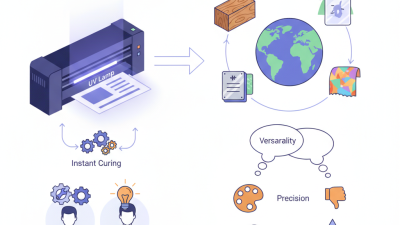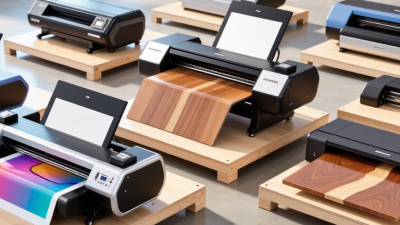
Choosing a Large Uv Flatbed Printer is less about buying the biggest machine and more about matching its capabilities to your daily work. Picture the jobs waiting on your production floor: rigid signs, display panels, or small-batch packaging. Measure their dimensions, note the materials, and consider how often you switch between them. A printer that handles a wide range of substrates can save setup time, but only if its workflow fits your team and order volume.
“[Insert a verified quotation from a named UV-printing industry expert about matching printer capability to production needs.]” Confirm the expert’s name, role, and exact wording before publication. A credible recommendation should reflect practical experience, not simply repeat a sales claim. Ask suppliers to demonstrate print quality on your materials. Inspect fine text, solid color areas, and white ink on a dark surface. Then check loading, curing, cleaning, and routine maintenance. Small details matter. A slow material change can cost more time than a faster advertised print speed saves.
This guide will help you compare bed size, printhead configuration, ink options, software, service support, and total ownership costs. It will also highlight questions to ask before requesting a quote. Specifications rarely tell the whole story. A showroom sample may look perfect, while your real substrate behaves differently. Test before committing, and leave room to reconsider your assumptions. The best choice is the one your operators can run reliably, with consistent results and manageable upkeep.
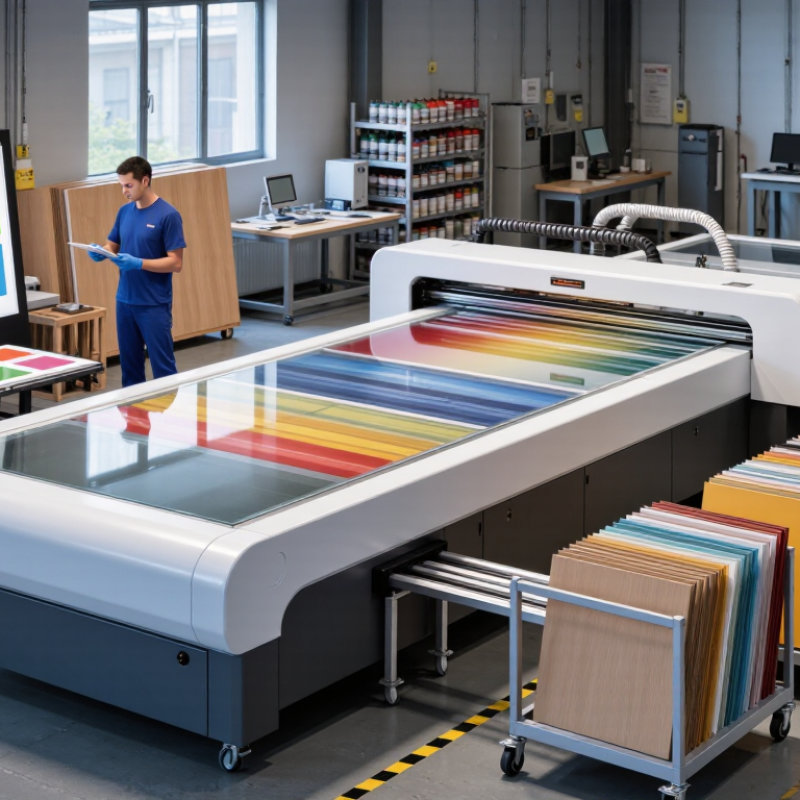
A large UV flatbed printer should match the work you produce each week, not an idealized job list. Record typical and peak order volumes, sheet dimensions, print area, and acceptable turnaround times. A shop printing ten rigid panels daily has different needs from one handling short-run signs and prototypes. Be realistic about peak demand. A speed rating alone may not reflect setup, loading, or curing time.
List the materials you actually use, such as acrylic, aluminum composite, wood, or glass. Note their thickness, surface texture, and weight. These details affect bed clearance, loading, and print stability. Ink adhesion can vary across surfaces, even when materials look similar. Ask for sample prints on your own stock, then inspect fine text, color, and scratch resistance after curing. Also consider whether white ink or varnish is needed for your designs. A feature that sounds useful may add maintenance or workflow steps you rarely need.
Tips: Bring representative files and material samples to a printer demonstration. Check the maximum media size and thickness against your largest regular job. Leave room for occasional variation; your forecast may be imperfect, and that is worth acknowledging. Don’t buy capacity you cannot use.
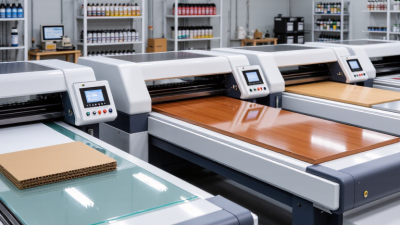
How to Choose the Best Large UV Flatbed Printer?
Compare Print Area, Bed Design, and Media Handling
Start with the largest item you actually print, not the machine’s headline bed size. Ask for the usable print area after edge margins, clamps, and registration points are accounted for. A 1.2-by-2.4-metre panel may fit on paper but leave little room for accurate positioning. Check whether the bed supports the panel’s full weight without sagging. Small details matter. A slightly uneven sheet can cause focus variation or visible alignment errors.
Bed design shapes daily workflow. A fixed bed can make loading heavy boards simpler, while a moving gantry may affect access around the machine. Look for zoned vacuum hold-down, adjustable suction, and clear loading access. Test these with your real media: rigid board, thin plastic, or a warped panel. A specification sheet will not reveal every awkward loading step. I would not trust a brochure number alone.
Media handling deserves equal attention to print area. Check maximum material thickness, head clearance, and how easily operators can load long or flexible sheets. Smithers’ report, The Future of Digital Printing to 2027, estimates that global digital-print value will rise from $136.7 billion in 2022 to $230.5 billion in 2027. That broad-market forecast is not a machine-sizing guide, but it signals growing production demands. Choose a bed that fits your actual jobs, with enough clearance for occasional oversize pieces. Not always the biggest model.
Compare the nominal areas of common sheet formats when assessing print-area requirements.
Areas are calculated from standard A-series sheet dimensions and the nominal 4 × 8 ft panel size. They describe media formats, not printer specifications. Choose a bed with sufficient usable print area and loading clearance; also check bed design, vacuum hold-down, and how the machine handles the media you plan to print.
Evaluate printheads, UV inks, and image quality before comparing headline speed. Ask for the printhead’s native drop size, grayscale capability, and nozzle-recovery procedure. These affect fine text, smooth gradients, and the cost of interruptions. A small drop can improve detail, but only when the ink, software, and substrate work well together.
Check a test print, not just a specification sheet. Look closely at tiny lettering, skin tones, solid fills, and edges under consistent lighting.
Ink matters just as much. Grand View Research’s 2024 UV-curable inks market report valued the market at USD 1.86 billion in 2023 and projected 9.4% annual growth through 2030. That market trend does not prove one ink is right for your job.
Request adhesion and scratch tests on your actual materials, including acrylic or coated board. Compare curing, color consistency, and flexibility after printing. Some samples look excellent at first, then reveal banding or weak adhesion. It happens.
Tips: Bring your own files and substrates. Print fine lines, gradients, and a large dark area; inspect them at close range and from normal viewing distance. Ask the supplier to repeat the job after a nozzle check. Record settings and results. A showroom sample is useful, but your production conditions may be less forgiving.
A large UV flatbed printer is only as productive as its file preparation and job flow. Test the RIP software with real files: layered artwork, white underprint, varnish, and mixed-size panels. Check whether it preserves spot layers, nests parts efficiently, and records ink use per job. Ask operators to run a repeat order, not just a polished demo. Small misses compound. A misplaced layer can mean wasted board, ink, and press time. Review queue controls, color-profile handling, and how quickly staff can recover a paused job.
Build operating costs from measured use, not brochure estimates. Track ink, electricity, substrate waste, cleaning supplies, and scheduled maintenance across several weeks. The U.S. Energy Information Administration’s 2023 electricity data put average commercial power prices near 12 cents per kilowatt-hour; local rates can differ substantially. Estimate energy cost by multiplying measured kilowatts by operating hours and your tariff. Include idle time, too. A printer may sit warm while files are corrected or materials are loaded. I would also compare the service schedule and parts availability with your actual production calendar. One caveat: early cost-per-print estimates often look cleaner than real shop data. Recheck them after a month of mixed jobs.
| Configuration | Typical Bed Size | Suitable Materials and Work | Production-Mode Speed* | Software and File Workflow | Workflow Features to Check | Indicative Purchase Range (USD)** | Operating-Cost Factors |
|---|---|---|---|---|---|---|---|
| Entry-level large format | Approximately 1.3 × 2.5 m (4 × 8 ft) | Rigid panels, signs, display boards, short-run décor, and flat promotional products | About 10–25 m²/h, depending on image coverage, print mode, and material handling | RIP software should support ICC profiles, nesting, spot-color layers, white ink, and varnish workflows. | Check vacuum-zone control, substrate-height sensing, registration aids, and the time required to load and unload panels. | Roughly $60,000–$150,000 | Compare ink use by job coverage, printhead replacement costs, routine cleaning supplies, service plans, and operator time. |
| Mid-production large format | Approximately 1.6 × 3.2 m (5 × 10 ft) | Large signage, furniture panels, packaging prototypes, décor boards, and mixed daily production | About 15–35 m²/h, depending on quality settings, white-ink layers, and job mix | Look for reliable job presets, color management, variable-data support, hot folders, and clear queue monitoring. | Assess two-person versus one-person loading, repeat-job registration, multi-zone vacuum, and recovery after a job interruption. | Roughly $100,000–$250,000 | Budget for ink and maintenance, scheduled servicing, filters or other specified consumables, electricity, and downtime. |
| High-throughput production | Approximately 2.0 × 3.0 m or larger | High-volume sign panels, décor components, industrial graphics, and repeat production runs | About 25–50 m²/h in suitable production modes; complex or high-quality jobs can be substantially slower | Prioritize automated job queues, calibrated color profiles, nesting, production reporting, and compatibility with the existing prepress workflow. | Evaluate automated loading options, operator access, material-handling equipment, uptime support, and the effect of changeovers on real throughput. | Roughly $180,000–$400,000 or more | Include service coverage, spare-part availability, preventive maintenance, staffing, facility requirements, and the cost of unplanned downtime. |
| Specialty or extra-large format | Often 2.5 × 3.2 m or larger; configurations vary | Oversized panels, architectural elements, thick rigid media, and specialized industrial applications | Highly dependent on printhead configuration, substrate handling, image coverage, and production mode | Confirm that the RIP can manage the required spot channels, layer order, profiles, and file sizes without manual workarounds. | Verify maximum media thickness and weight, bed flatness, loading access, safety requirements, and the space needed around the machine. | Often $250,000–$500,000 or more | Model total cost of ownership, including installation, facility preparation, operator training, service response, and replacement components. |
| Evaluation checklist | Choose a bed that fits the largest regular job—not only occasional oversized work. | Test the actual materials, including coated and uncoated samples, before committing. | Request a timed production test using representative files and the intended print quality. | Ask for a complete workflow demonstration from file preparation through RIP, printing, and reprint of a saved job. | Record setup, loading, cleaning, changeover, and unloading time alongside the advertised print speed. | Compare written quotes on equivalent configurations and included equipment. | Request a cost model based on expected monthly area, ink coverage, maintenance, labor, service, and energy. |
| * Speed figures are broad planning ranges, not guaranteed output. Actual throughput depends on machine configuration, print mode, image coverage, number of ink layers, substrate handling, and operator workflow. **Purchase ranges are indicative estimates in USD; regional pricing, options, installation, taxes, and service agreements can change the total substantially. Obtain current written quotes and verify operating-cost assumptions with production tests. | |||||||
A large UV flatbed printer should be judged by more than print speed. Check that UV lamps are shielded, access panels have working interlocks, and the exhaust system is sized for the inks and materials you use. Ask for safety instructions, ink safety data sheets, and a clear cleaning procedure. Small details matter. During a site visit, notice whether operators can reach emergency stops without leaning across the print bed. A tidy demonstration is useful, but ask to see routine maintenance too.
Service support matters when production stops. Ask about response hours, remote diagnostics, technician coverage, and the availability of common replacement parts. The 2024 True Cost of Downtime report estimated that unplanned downtime costs the world’s 500 largest companies about $1.4 trillion each year. That broad manufacturing figure is not a printer-specific forecast, but it shows why service delays deserve attention. For long-term reliability, request maintenance intervals and written warranty terms, then compare them with your actual workload. Speak with current users operating similar materials and shift patterns. Their experience may reveal recurring issues that a short demonstration will not. Still, user reports can be incomplete; weigh them alongside documented service records and your own test prints.