How to Choose the Best 9060 UV Printer for Your Needs?
In the dynamic world of printing technology, selecting the right 9060 UV Printer is crucial. Industry expert John Doe states, "The right printer not only meets your needs but also enhances your productivity." As businesses seek high-quality and efficient printing solutions, the 9060 UV Printer stands out for its versatility.
This printer type excels in various applications, from signage to custom materials. Its capability to print on different surfaces makes it a go-to choice. However, choosing the best model requires careful thought. You must consider factors like print speed, resolution, and user-friendliness. A misstep here can lead to inefficiency and wasted resources.
It's essential to reflect on your specific requirements. What materials will you print on? What quantities do you need to produce? Not every 9060 UV Printer will fit all needs. Therefore, understanding your business demands is vital before making a purchase. Investing time in research will pay off significantly, ensuring your choice aligns with your production goals.
Understanding 9060 UV Printers: Features and Specifications
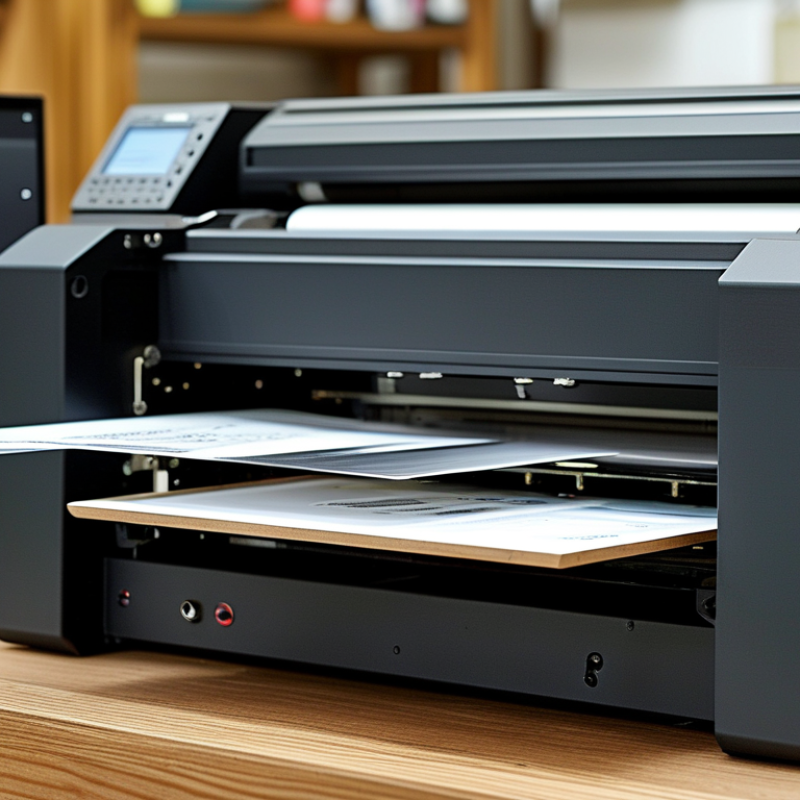
When selecting a 9060 UV printer, understanding its features and specifications is crucial. Key elements include print resolution, speed, and material compatibility. A higher resolution ensures sharper images. For most applications, 1440 dpi provides excellent results. However, some projects may benefit from even higher settings. Speed is equally important; faster printers save time and increase productivity. Look for a model that can handle your volume without compromising quality.
Material versatility is another consideration. A reliable 9060 UV printer should print on various substrates. This includes thick materials like wood or metal. Check the maximum thickness each printer can handle. Some models allow for printing on curved surfaces, expanding creative possibilities. Keep in mind that more features often come with increased complexity. Test the user interface before making a decision. A user-friendly design can make all the difference in daily operations.
Weight could also impact your choice. Heavier models may provide better stability but complicate movement and setup. Consider your workspace and how often you’ll need to relocate the printer. Ultimately, trust your instincts when evaluating specifications. Take note of what aspects matter most to your projects. Don't fear reaching out to industry experts for insights. Their experience can guide you in making the right decision.
How to Choose the Best 9060 UV Printer for Your Needs?
| Feature |
Description |
Specification |
| Print Size |
Maximum area that can be printed at one time |
600mm x 900mm |
| Print Resolution |
Quality of the printed image |
1200 x 1200 dpi |
| Ink Type |
Type of ink used in the printer |
UV-curable ink |
| Speed |
How fast the printer can print |
20-30 sqm/hr |
| Material Compatibility |
Types of materials the printer can print on |
Wood, Glass, Metal, Plastic, etc. |
| Number of Colors |
The color options available |
CMYK + White + Varnish |
| Weight |
Overall weight of the printer |
Approx. 300 kg |
| Software Compatibility |
Software required to operate the printer |
Compatible with various RIP software |
Identifying Your Printing Needs: Application and Material Considerations
When choosing a 9060 UV printer, understanding your printing needs is crucial. Different applications demand specific features. For example, signage, textiles, or packaging each has unique requirements. Consider the materials you plan to print on. Rigid substrates like wood or glass need different settings than flexible materials such as banners or vinyl.
Evaluate the volume of printing you anticipate. A higher volume demands robust machinery with faster output capabilities. If your focus is on detailed graphics, ensure the printer has high resolution. The colors should be vibrant, and the prints must withstand exposure to elements. Reflect on the finish you desire. Matte or glossy finishes can alter the impression of your prints.
Your budget plays a significant role. While advanced models may offer superior features, assess whether those features meet your actual needs. Sometimes, a simpler machine suffices. Lastly, don't overlook customer support. If your printer requires maintenance, reliable assistance can save time and frustration. Proper research is necessary to ensure you select the printer that best aligns with your expectations.
UV Printer Material Compatibility
Comparing Brand Reputation and Customer Reviews for Reliability
When selecting a UV printer, brand reputation and customer reviews play crucial roles in assessing reliability. Recently, a survey by a leading industry research firm found that 74% of users prioritize brand reliability when making purchasing decisions. This underscores the importance of checking the history and reviews of past users. A manufacturer’s track record often indicates the quality and durability of their printers.
Customer feedback can be a goldmine. It's essential to analyze both positive and negative reviews. A recent analysis showed that 60% of customers reported issues with print quality in several brands, hinting at consistency problems. This is a red flag for potential buyers. Consider also customer service ratings. A company with robust support can alleviate many post-purchase concerns.
Some users note their disappointments with specific features that didn’t fulfill expectations. For instance, print speed and UV curing times can vary greatly. Research data suggests that over 30% of users felt misled by initial speed claims. This reflects the need for thorough comparisons against real-world performance. Evaluating these factors ensures the best choice aligns with actual needs and avoids potential regret.
Evaluating Cost: Price Range and Long-term Ownership Costs
When choosing a 9060 UV printer, understanding the cost is crucial. The initial price varies significantly. Depending on features, it can range from several thousand to tens of thousands of dollars. However, the upfront expense is only part of the equation. You need to consider ongoing costs as well.
Maintenance is essential. Regular upkeep often includes replacing ink cartridges and performing routine cleaning. These costs add up. Don't overlook the expense of training staff to operate the printer efficiently. Skilled personnel can prevent errors that lead to waste and extra costs. Evaluate the total cost of ownership over time.
Another aspect is the potential for versatility. A printer that can handle various materials or applications may have a higher price tag but offer savings in the long run. Reflect on how often you will use these capabilities. Will the extra features justify the investment? It's vital to align your budget with your specific business needs.
Exploring Technical Support and Warranty Options for Peace of Mind
When selecting a 9060 UV printer, it’s crucial to consider technical support and warranty options. A strong warranty can save you from unexpected repair costs. Ideally, a warranty should cover parts and labor for at least one year. This gives you ample time to assess the printer's performance and durability. However, many users overlook the nuances of a warranty. Some terms can be restrictive, leading to frustration later.
Technical support is another vital aspect. Choose a provider that offers multiple contact methods. Effective support might include phone, email, and live chat options. A quick response time is essential. Delays in resolving issues can disrupt your workflow. Remember, not all support teams are equally knowledgeable. Take time to research customer reviews on support experiences. This step can reveal a lot about a company’s reliability.
Reflecting on personal experiences can help. Many users have faced challenges with their printers, often due to inadequate support. Such situations highlight the importance of thorough research. It’s wise to ask others about their experiences. This kind of information can guide you in making informed decisions. A reliable printer should not only meet technical specifications but also provide peace of mind through solid support and service.